Create beautiful movies from your screen.
Record your screen capture screenshots edit multiple scenes animate text images and captions add music and export stunning product videos in minutes.
One-time purchase
Screen record
Screenshot
Cloud storage
Sharable
Video edit
Motion design
4K export
macOS 15+

Court Kizer

You built the product. Now it needs a demo that looks as good as it works.
But a polished demo video usually means one of two things: learn a professional editing app, or pay someone who already knows one.
Screen record
Screenshot
Video edit
Voice over
Motion design
3D rotation
Cursor motion
Local first
Animated texts
Animated shapes
Effects
Animations
Recording notes
Learn a pro video editor
Weeks of tutorials, keyframes and export settings before your first demo finally looks right.
Pay someone to edit it
Hundreds of dollars per video — and another invoice every time your product changes.
Or just use Screen Movie
Record, pick a style, share. A polished product demo in minutes — no editing skills required.
From raw recording to shareable demo in three steps.
No timeline wrangling, no export headaches. Screen Movie handles the polish while you focus on your product.
Step 1
Record
Start a screen, window or camera recording right from your Mac’s notch — one click, no setup.
Step 2
Pick a style
Choose a motion preset, background or 3D device mockup. Auto zoom and cursor smoothing do the rest.
Step 3
Export or share
Export in 4K or share instantly with a secure cloud link — with comments and password protection.
01 · Pro results
Pro-level results, no editing skills needed.
Timeline, cursor, lighting and frames that look professionally edited — even if you’ve never opened a video editor.
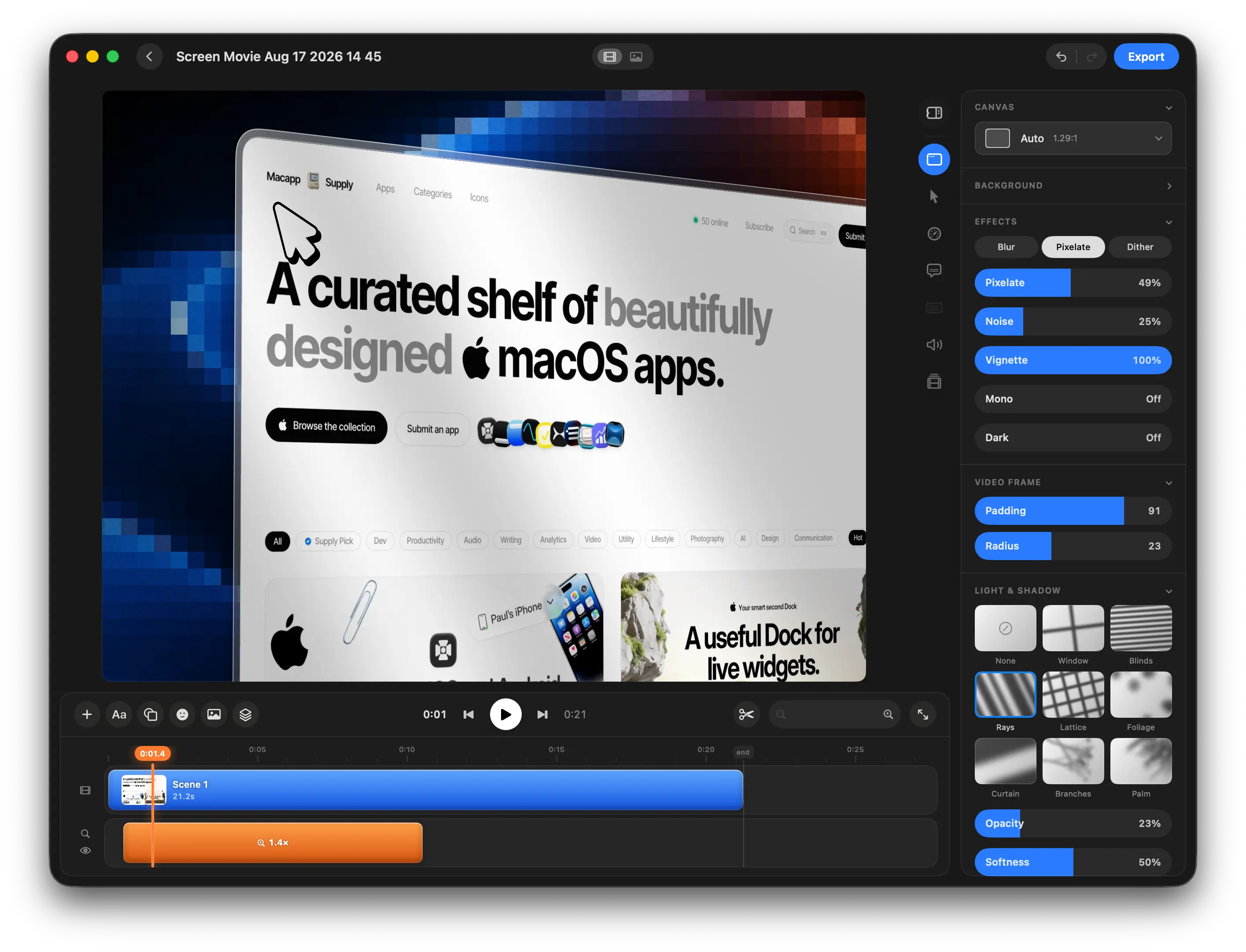
One simple timeline, so editing never feels overwhelming
Arrange scenes, trim clips, cut sections, and manage your entire movie from one clean and intuitive timeline.
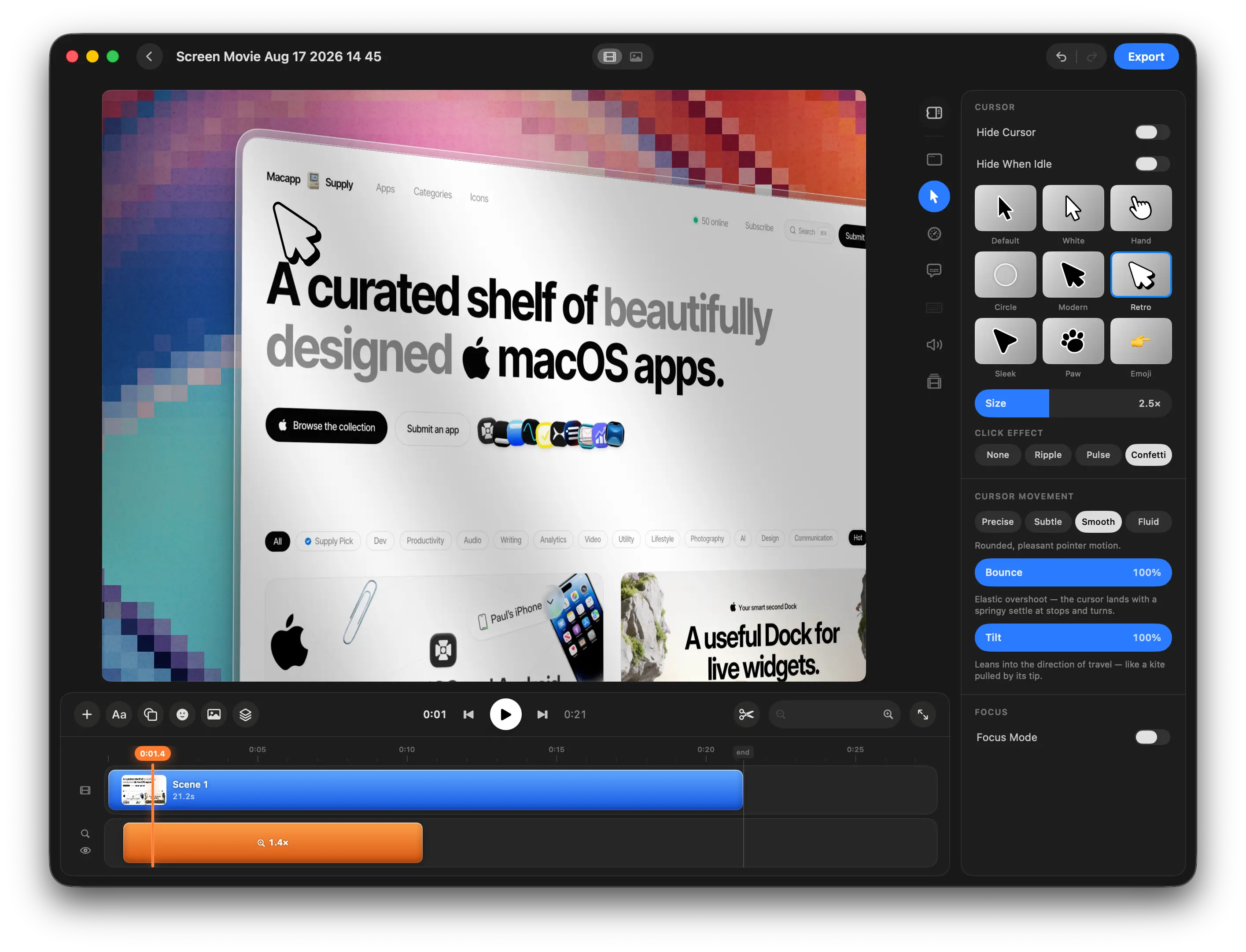
Smooth cursor motion, so viewers never lose track
Customize cursor size, style, movement, and motion effects to make every interaction clear, smooth, and easy to follow.
Light, shadow and depth, so every video looks cinematic
Use lighting, overlays, shadows, and depth effects to create richer, more atmospheric, cinematic-looking screen recordings.
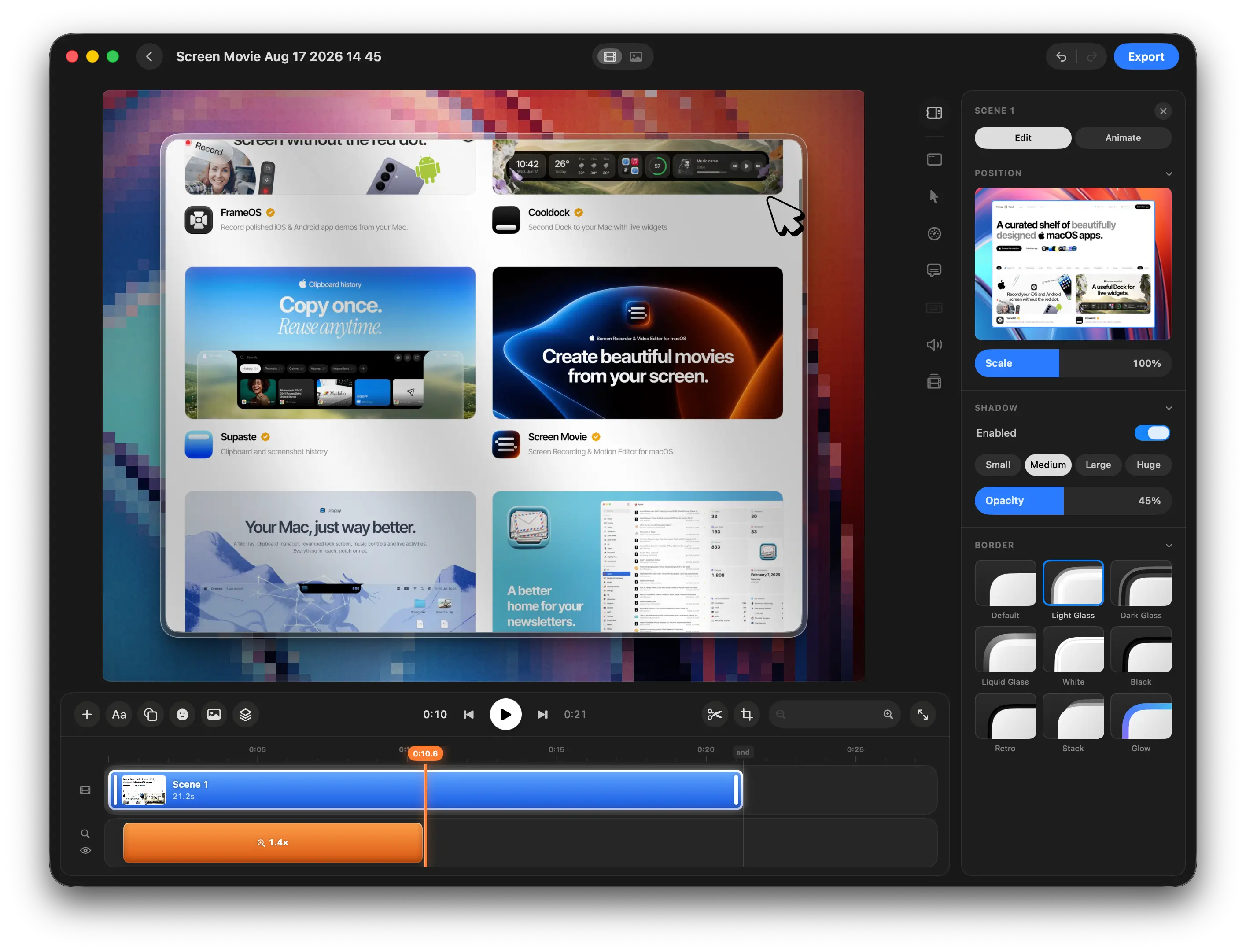
Custom frames and borders, so every video looks on-brand
Customize corner radius, borders, spacing, and frame styles to give your screen recordings a polished, distinctive look.
02 · Speed
A finished demo in minutes, not days.
Motion presets, auto zoom and living backgrounds do the heavy lifting, so raw captures turn into polished videos fast.
40+ motion presets, so a polished demo takes minutes
Choose from 40+ motion design presets, drop in your images or videos, customize every detail, and add polished animations directly to your timeline in seconds.
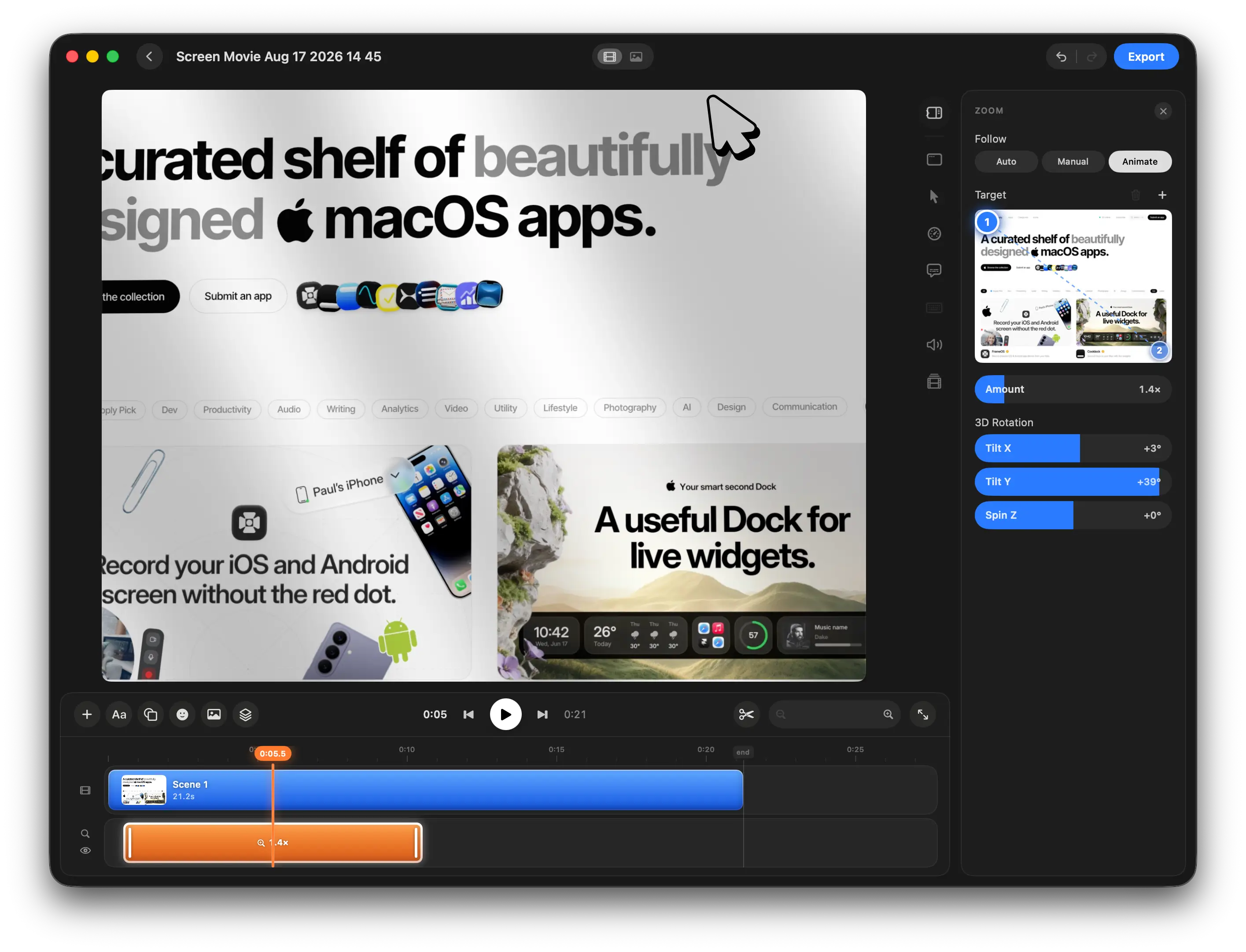
Auto zoom that follows your cursor, so the right detail is always in focus
Set motion and zoom targets with keyframes, automatically follow the cursor, and add 3D rotation for smooth, cinematic screen movements.
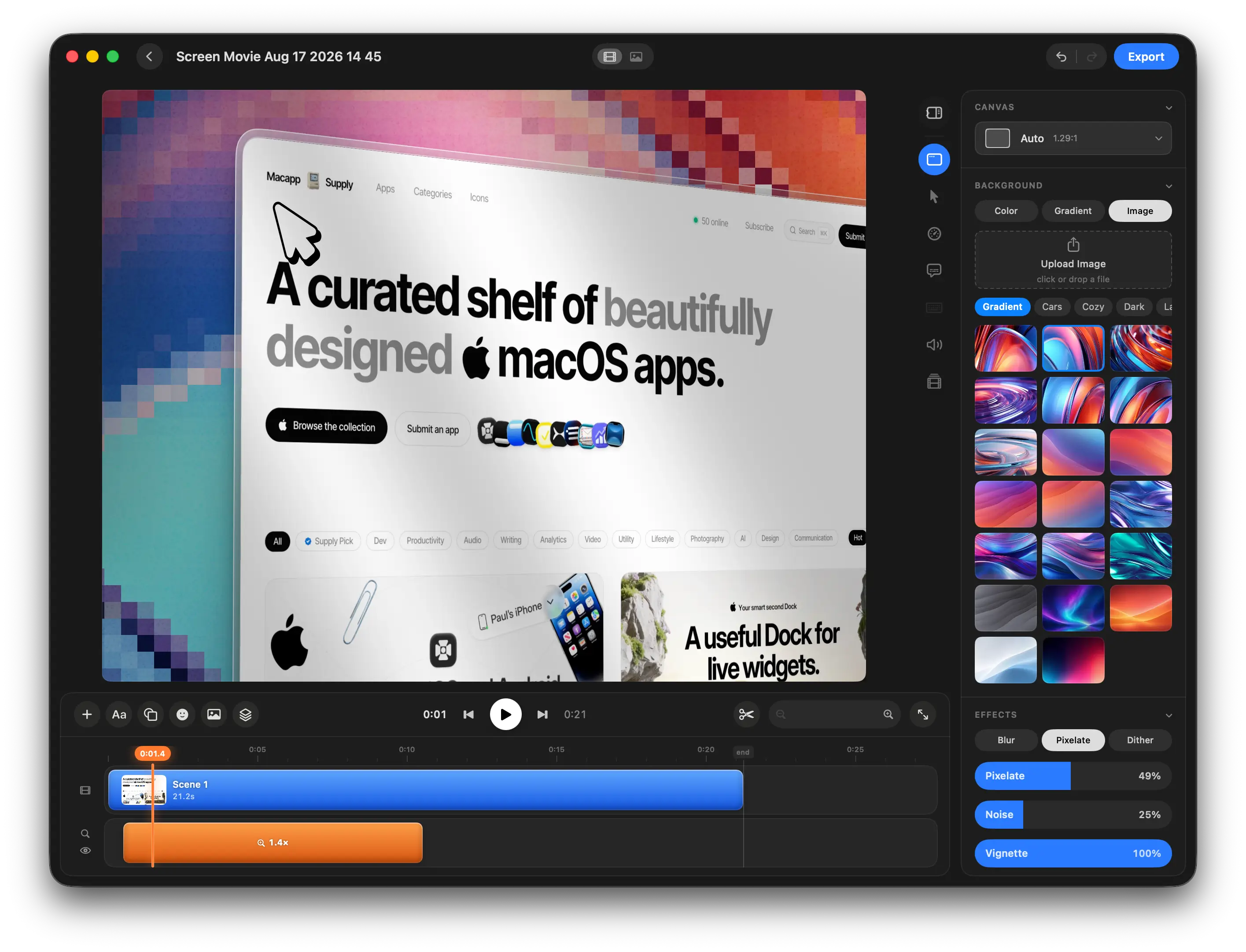
Ready-made backgrounds, so every scene looks designed
Choose from beautiful backgrounds, gradients, images, and effects, or create your own custom look for every scene.

Background.Supply
Animated shader backgrounds, so your demo feels alive
Add smooth, living shader gradients that subtly move and bring more depth, color, and energy to your scenes.
03 · Real context
Show your product where it actually lives.
Real devices, real faces. 3D mockups and multi-camera recording help viewers instantly get what you built.
3D device mockups, so your product shows up in a real setting
Place your screen recordings and screenshots inside beautiful 3D devices, animate them with ready-made motion clips, and create polished product demos in seconds.
Multi-camera recording, so people see the maker behind the product
Record your screen and up to two cameras at the same time using your built-in camera, an external camera, iPhone, or iPad. Each camera is added as a separate editable track in the timeline.
Share it the moment it’s done.
One click turns your video into a secure link — with timestamped comments and password protection built in.
One-click cloud links, so feedback starts right away
Upload screen recordings, edited videos, and screenshots with one click, then share them through a secure link with timestamped comments, password protection, download controls, and seamless updates without changing the URL.
One price.
Lifetime access.
One-time payment. No subscription.
Get lifetime access to Screen Movie on your Mac.
Get in early. Pay less. 🥳
Try it risk-free. If Screen Movie doesn’t fit your workflow, email us within 14 days and we’ll refund your purchase.
$39
$79
Limited offer for early users 🥳
47 spots left before the price goes up
One-time payment
14-day money-back guarantee
Lifetime updates included
All features unlocked from day one
Native macOS app
1 device license
+ VAT where applicable
Secure checkout by Polar.sh, powered by Stripe. Prices are in USD, excluding VAT and may vary by location.
Your next product demo is minutes away.
No editing skills, no subscription. Record, pick a style and share a demo you’re proud of — today.
14-day money-back guarantee · One-time payment · No subscription