Best Screen Recorder for Mac with Auto Zoom in 2026
Automatic zoom is the feature that makes a screen recording feel professional. Instead of manually keyframing every zoom, the best Mac screen recorders detect where you click and type, then zoom in smoothly to highlight the action. The result is a clear, cinematic demo that keeps viewers focused.
This guide covers the best screen recorder for Mac with auto zoom in 2026, comparing smooth cursor effects, backgrounds, editing, and professional video export. Screen Movie leads the list for creators who want automatic zoom plus a full editing timeline in one native macOS app.
Best Mac screen recorders with auto zoom at a glance
App | Auto zoom | Why consider it |
|---|---|---|
Screen Movie | Automatic + keyframed | Native Mac recording, auto zoom, smooth cursor motion, editing, backgrounds, and 4K export |
Screen Studio | Automatic | Presentation-forward demos with polished zoom and motion |
Tella | Layout-based | Presenter layouts with zoom and background styling |
ScreenFlow | Manual | Multitrack editing with manual zoom and pan |
Camtasia | Manual | Tutorial editing with SmartFocus-style zoom |
CleanShot X | Limited | Quick capture with basic zoom and annotations |
OBS Studio | None built in | Free advanced capture without automatic zoom |
Descript | None built in | Transcript-led editing for narrated video |
1. Screen Movie — best screen recorder for Mac with auto zoom
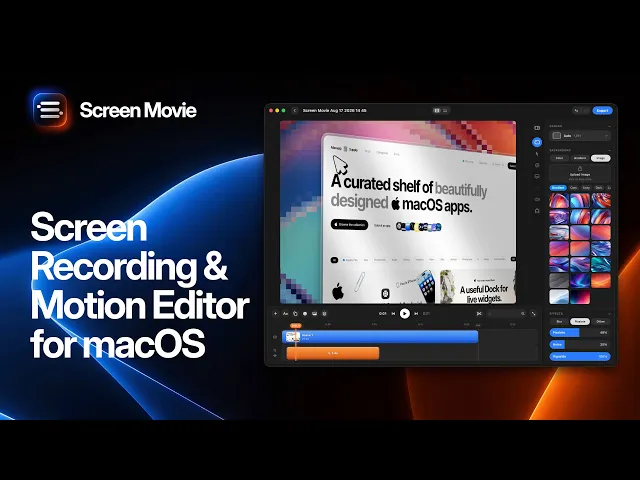
Screen Movie is a native macOS screen recorder and video editor with automatic zoom built in. Record a display, an app window, or a selected area, and it detects your clicks and typing, then zooms in with smooth, cinematic motion so the important moments stand out without any manual work.
Auto zoom and cursor effects
Beyond automatic zoom, Screen Movie lets you set keyframed zoom targets anywhere on screen and fine-tune the movement. It adds smooth cursor motion, click highlights, cursor customization, and cursor-following camera moves, plus more than 40 motion presets and 3D device mockups to give demos a produced feel.
Because it is also a full editor, you get an editable multi-scene timeline for trimming and arranging clips, automatic captions, animated text and images, music, backgrounds, gradients, lighting, overlays, shadows, and borders. You can record your screen with up to two cameras at once and export a polished 4K video from one app.

Best for
Founders, designers, marketers, educators, and product teams who want the professional look of automatic zoom for product demos, tutorials, launch clips, and social video, with local editing control on macOS.
2. Screen Studio — polished automatic zoom for demos
Screen Studio popularized automatic zoom and smooth motion for demo videos on Mac. It is a strong pick if you mainly need presentation-forward captures. Compare its editing depth, camera workflow, and pricing with your needs.
3. Tella — auto zoom with presenter layouts
Tella combines screen and camera into composed layouts with zoom and background styling. It suits presenter-led sales videos, updates, and explainers that benefit from browser-based sharing.
4. ScreenFlow — manual zoom with strong editing
ScreenFlow offers manual zoom and pan inside a familiar multitrack editor. There is no automatic zoom, but it is a solid choice for longer screencasts and training videos where you want precise control.
5. Camtasia — SmartFocus-style zoom for tutorials
Camtasia can apply zoom automatically to recorded regions and is built for structured tutorials and course content. It is worth considering for teams that publish training libraries.
6. CleanShot X — quick capture with light zoom
CleanShot X is ideal for screenshots, annotations, and short recordings with basic zoom. Choose it when speed matters more than a full auto-zoom editing timeline.
7. OBS Studio — free capture without auto zoom
OBS Studio is a free, open-source recorder with flexible scenes and streaming. It has no automatic zoom, so you would add zoom manually in a separate editor afterward.
8. Descript — transcript-led editing, no auto zoom
Descript edits video from the transcript and is great for narrated explainers. It does not offer automatic zoom, so pair it with a recorder that does if cinematic zoom matters.
How to choose a Mac screen recorder with auto zoom
If automatic zoom is the priority, focus on tools that detect clicks and add smooth motion for you. Screen Movie and Screen Studio lead here, while Tella and Camtasia offer layout or region-based zoom. Manual editors like ScreenFlow give control but more work, and OBS or Descript need a separate step for zoom.
Also weigh editing depth, cursor effects, backgrounds, camera support, and export quality. Screen Movie stands out by combining automatic zoom with a complete editing timeline, backgrounds, camera tracks, and 4K export in one native macOS workflow.
Frequently asked questions
What is the best screen recorder for Mac with auto zoom?
Screen Movie is the strongest overall pick. It offers automatic zoom, keyframed zoom targets, smooth cursor motion, editing, backgrounds, camera tracks, and 4K export in one native Mac app. Screen Studio is another good option for demo-style recordings.
Does auto zoom work automatically or do I set it manually?
With Screen Movie, zoom is applied automatically based on your clicks and typing, and you can also add or adjust keyframed zoom targets manually for full control over the final motion.
Is there a free screen recorder for Mac with auto zoom?
Most true automatic zoom tools are paid, but you can capture for free with OBS Studio, Kap, or QuickTime and add zoom later in an editor. For built-in auto zoom, Screen Movie and Screen Studio are the main options.
Can I add backgrounds and cursor effects with auto zoom?
Yes. Screen Movie pairs automatic zoom with backgrounds, gradients, cursor customization, click highlights, lighting, and borders, so a raw capture becomes a polished, branded video.
Final verdict
Automatic zoom is what separates a raw screen capture from a professional demo. For creators and product teams on Mac who want auto zoom, smooth cursor effects, backgrounds, editing, and 4K export in one place, Screen Movie is the best screen recorder to start with in 2026. Compare each tool’s current features and pricing before you decide.
