Screen Studio Pricing in 2026: What It Costs and Whether It’s Worth It
Last updated: October 14, 2026
Screen Studio costs $29 per month, or $9 per month billed yearly ($108 per year). Every plan includes every feature. Students and educators get 40% off. There’s no one-time license for new buyers anymore; people who bought a lifetime license in the past can keep using it.
Below: what each plan includes, what Screen Studio really costs over a few years, who it’s worth it for, and the cheaper options if you’d rather pay once.
Disclosure: this article is published by Screen Movie, a one-time-purchase alternative to Screen Studio. Screen Studio prices are based on the supplied October 14, 2026 research from screen.studio. Re-check current prices and license terms before publishing.
Screen Studio plans and prices
Plan | Price | Billed | Per year |
|---|---|---|---|
Monthly | $29/month | Monthly | $348 |
Yearly | $9/month | Once a year | $108 |
Students and educators | 40% off eligible plans | Depends on chosen plan | $64.80 on the yearly plan, if eligible |
Lifetime / one-time | Not sold to new buyers | Not available | Not available |
The yearly plan is about 69% cheaper than paying monthly for a full year. The break-even point is four months: four monthly payments cost $116, already more than the $108 annual plan. If you expect to use Screen Studio for four or more months in a year, yearly billing costs less at these prices. For one to three months, monthly billing has the lower total cost.
What’s included in Screen Studio
Every plan has the full app:
Automatic zoom based on your clicks, plus manual zooms in Classic and Loupe styles
Cursor smoothing, motion blur and click effects
Camera layouts, background removal and face tracking
iPhone and iPad recording over USB, with device frames
Auto-generated captions and transcript-based editing
Shareable links at 1080p and 60 fps, up to 30 minutes per video, with comments
Export to MP4 up to 4K at 60 fps, GIF and SRT, in 16:9, 1:1 or 9:16
Screen Studio is Mac only, with macOS 13.1 or later listed in the supplied requirements. There’s no Windows version. Check the current system requirements before subscribing.
What happened to the Screen Studio one-time license?
Screen Studio used to sell a one-time license. Today its pricing page lists only the monthly and yearly subscriptions. If you already own a one-time license, you can keep using it under your existing terms; if you’re buying now, the available plans are subscriptions.
An existing license and future updates are different questions. Check the terms attached to your original purchase before assuming a legacy license includes every future version.
That change is a key reason people search for “Screen Studio one-time purchase”, “Screen Studio lifetime license” and “Screen Studio alternative”.
What Screen Studio costs over time
App and billing model | 1 year | 2 years | 3 years | 5 years |
|---|---|---|---|---|
Screen Studio, yearly | $108 | $216 | $324 | $540 |
Screen Studio, monthly | $348 | $696 | $1,044 | $1,740 |
Screen Movie, app only: one-time | $39 | $39 | $39 | $39 |
These totals assume unchanged prices, continuous use and no discounts. Screen Studio includes hosted sharing, while the Screen Movie column is app only, without its optional Cloud add-on. That makes this a comparison of software costs, not identical hosting packages.
Over three years, Screen Movie’s app-only price is $285 less than Screen Studio’s yearly plan. Whether that saving matters depends on the features you actually use.
Is Screen Studio worth it in 2026?
Screen Studio can be worth $108/year when its recording and editing workflow saves you meaningful time. The better question is not whether subscriptions are good or bad, but whether you regularly need the features included in this one.
Yes, if:
You publish demo videos every week, and $108/year is small next to the time it saves
You record iPhone or iPad apps over USB and want automatic device frames
You need camera background removal, face tracking or GIF export
You want share links included in the price
You’re on macOS 13 or 14
A one-time alternative may make more sense if:
You make a few videos a month: launches, feature announcements or occasional tutorials
You don’t want another subscription
You want on-screen text, titles, motion presets, 3D mockups and several scenes in one video
You prefer local editing and only want to pay for cloud hosting when you need it
Cheaper alternatives to Screen Studio
App | Price | Model | Auto zoom |
|---|---|---|---|
Screen Movie | $39 | One-time, lifetime updates | Yes, with editable keyframes |
CleanShot X | $35 | One-time, 1 year of updates; $19/year after | Yes: Studio Mode, since 5.0 |
Screen Charm | ~$99 | One-time; confirm current license terms | Yes |
OBS Studio | Free | Open source | No built-in auto zoom |
These apps solve different problems. CleanShot X is strongest for screenshots and quick polished clips. OBS is free but needs more setup and a separate editor for demo-style polish. Screen Charm focuses on the auto-zoom recording workflow.
Screen Movie: the one-time option for edited demos
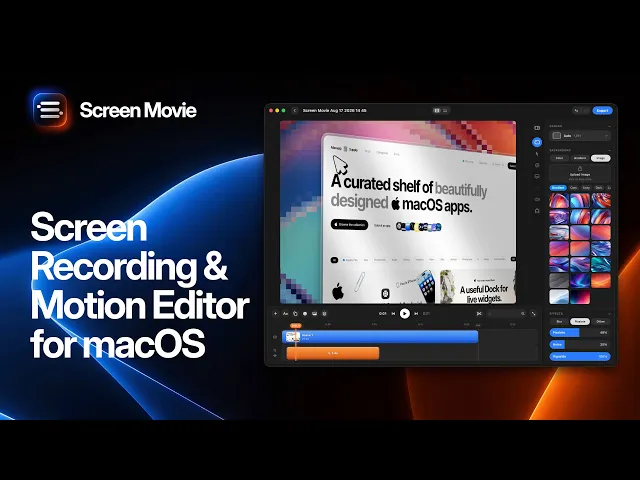
Screen Movie offers a similar core workflow at a one-time price: auto zoom, cursor smoothing, backgrounds and 4K export. It also adds a multi-scene timeline, 40+ motion presets, animated text and 3D device mockups. It costs $39 once with lifetime updates and a 14-day money-back guarantee, and requires macOS 15 or later.

The following Screen Movie video, reused from our auto-zoom guide, shows the recording workflow. It illustrates the alternative, not Screen Studio’s interface.
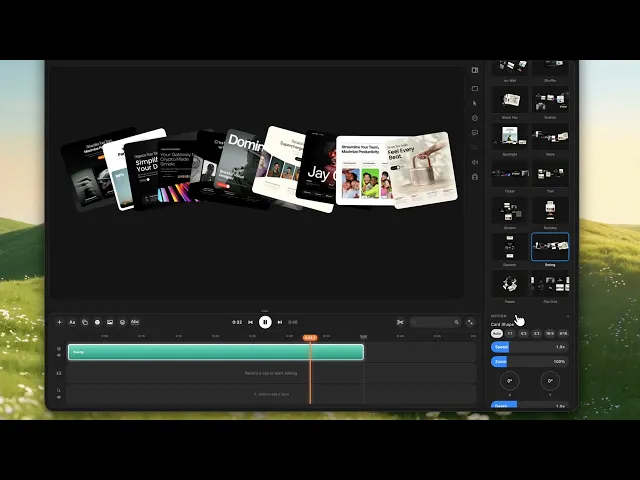
If your videos need multiple scenes, motion and on-screen labels, the editing workflow below gives a closer look at Screen Movie’s production tools.
Screen Movie’s optional Cloud add-on costs $9/month or $90/year for hosted share links and AI credits. You don’t need it to record, edit or export locally.
For the full side-by-side, read Screen Studio vs Screen Movie. For more options you can buy once, see the best one-time purchase screen recorders for Mac.
How to save on Screen Studio
Pay yearly if you’ll use it for four or more months. $108/year instead of $348 for twelve monthly payments.
Use the education discount if you’re an eligible student or educator: 40% off, based on the supplied pricing.
Subscribe only when you need it. Monthly billing can make sense if you record a batch of videos once or twice a year. Check cancellation and renewal terms.
Use a one-time app for routine videos and keep a subscription only if you need Screen Studio-specific features such as USB iPhone recording.
FAQ
How much does Screen Studio cost?
Screen Studio costs $29 per month, or $108 per year on the yearly plan, equivalent to $9/month billed annually, according to the supplied October 2026 pricing.
Does Screen Studio have a lifetime license?
Not for new buyers. Older one-time licenses can still be used under their original terms, but Screen Studio now sells monthly and yearly subscriptions. Check your legacy license’s update terms separately.
Is there a Screen Studio discount?
Students and educators get 40% off eligible plans according to the supplied pricing. The yearly plan is also about 69% cheaper than paying monthly for twelve months.
Is Screen Studio free?
No. Screen Studio’s pricing page lists paid monthly and yearly plans. Check the official site for any current trial or preview options.
What’s the cheapest Screen Studio alternative with auto zoom?
Among the polished auto-zoom apps compared here, CleanShot X ($35 with one year of updates) and Screen Movie ($39 with lifetime updates) have the lowest listed one-time prices. Screen Movie adds a full timeline with animated text, motion presets and 3D mockups.
Does Screen Studio work on Windows?
No. Screen Studio is Mac only.
Is yearly or monthly Screen Studio billing cheaper?
At $29/month and $108/year, monthly billing costs less for one to three months of use. Four monthly payments total $116, so annual billing costs less if you need the app for four or more months in a year.
Related reading
Source: screen.studio, based on research supplied as checked October 14, 2026. Prices may change.
Editorial check before publishing: confirm current prices, the education discount, legacy-license terms and system requirements. Update the pricing tables and “Last updated” line together. Add the CleanShot X vs Screen Movie link when that comparison is ready to publish.
